Autofill
without the noise.

A fast, quiet Chrome extension that fills forms as pages load, adds a subtle 8px micro-dot to save any field in one click, and keeps your data stored locally on your device only.

  • Instant Opens in a blink
  • Zero Clutter No page layout shifts
  • 100% Private Data stays on your device
https://boards.greenhouse.io/stripe
READY TO AUTO-FILL

Application — Staff Product Engineer

Protected · Never autofilled
Features

Built for speed,
designed to stay out of your way.

Every action—from saving a new field right on a webpage to filling out an entire application—takes a single click or keystroke.

01 · Instant Autofill & Resume Upload

Fill long forms and attach resumes in seconds.

MachFill fills matching name, email, phone, and link fields automatically when a page opens—or anytime you press Alt+Shift+F. It even attaches your saved resume into job application upload boxes and gives you an instant Undo button.

  • Never overwrites anything you have already typed
  • Works smoothly across modern job boards, portals, and multi-step forms
  • One-click Undo restores the page exactly as it was before
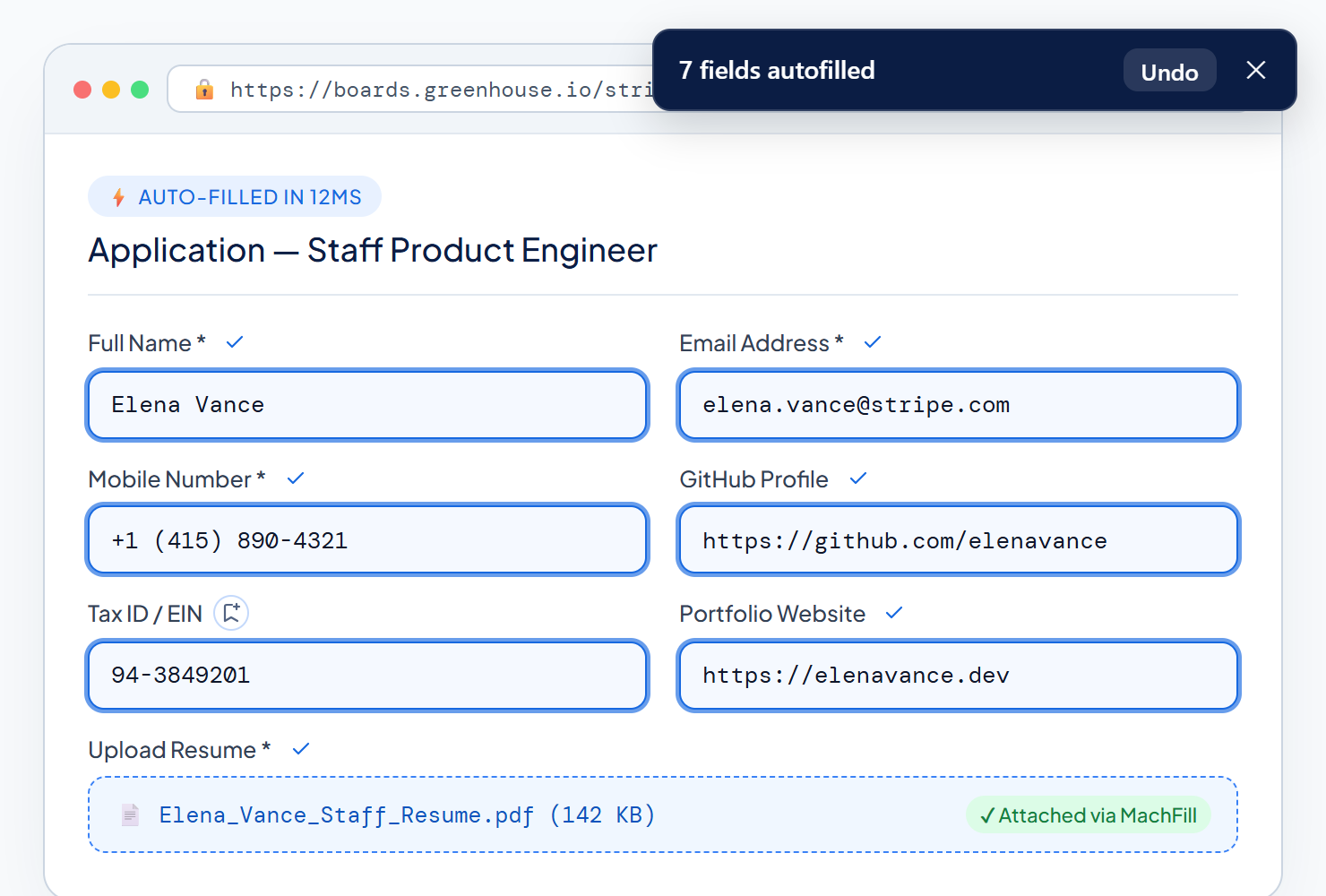
MachFill automatically filling 7 fields including resume PDF upload on Greenhouse with an Undo toast banner
02 · Inline Micro-Dot Saver

An 8px save dot that never clutters the page.

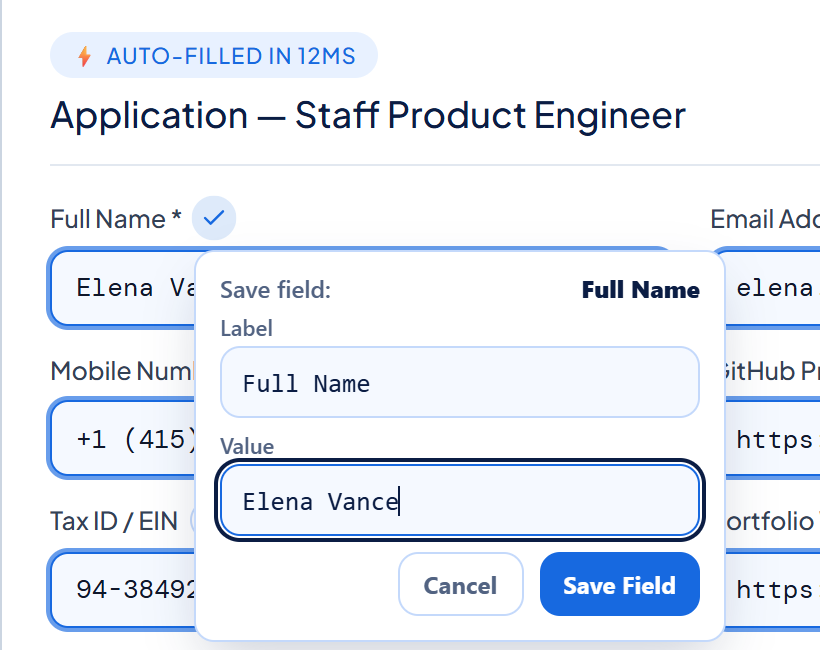
A tiny glowing dot sits quietly beside form labels without shifting anything on the page. Hover over a label, click an input, or tab to it to expand a clean + Save button and quick-save box.

  • Choose Always Visible, On Hover / Focus, or Hidden in Settings
  • Matches your page cleanly without breaking website layouts
  • Save or update a field right where you are typing
MachFill inline micro-dot expanded into a floating quick-save popover below a webpage form label
03 · One-Click Page Capture

Fill a form once, save every field together.

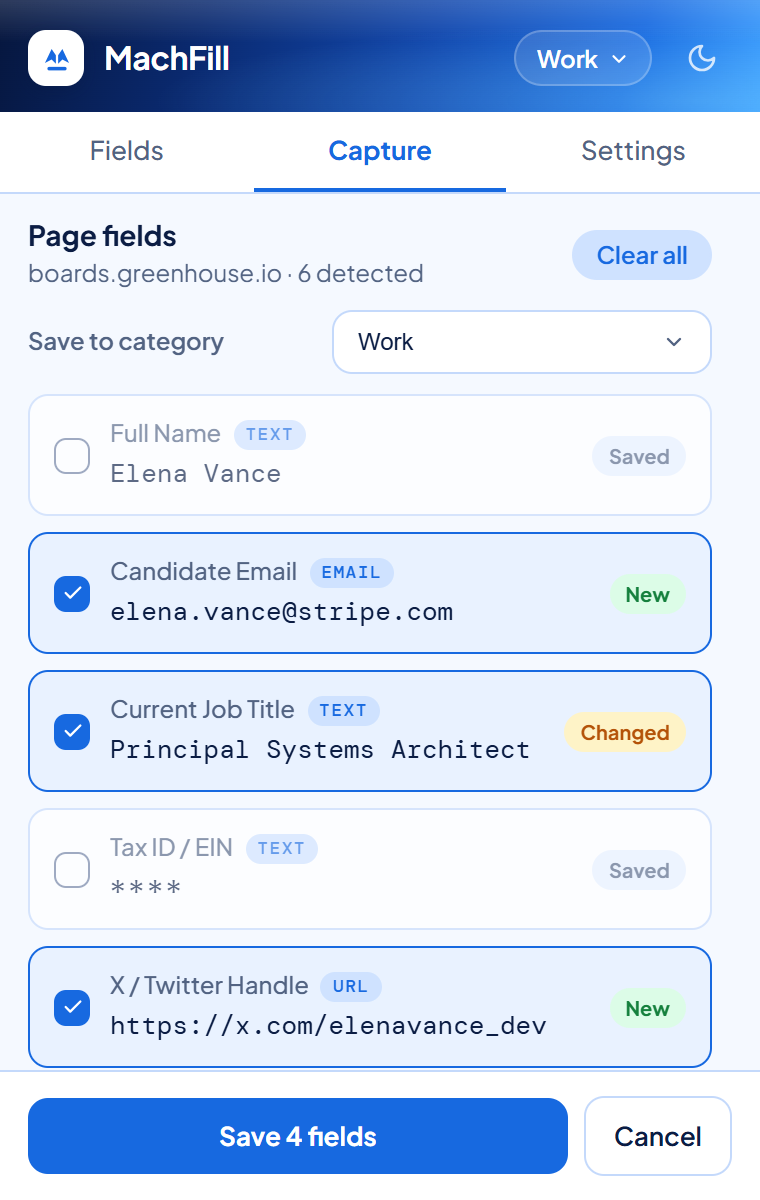
Instead of saving fields one by one, open the Capture tab on any filled page. MachFill finds your entries, highlights what is New or Changed, and saves them all in one click.

  • Automatically spots new entries and updated values
  • Keeps hidden fields masked (****) while capturing
  • Save straight into your Work, Personal, or custom profile
MachFill Capture tab scanning 6 form fields on a webpage with Saved, New, and Changed status pills
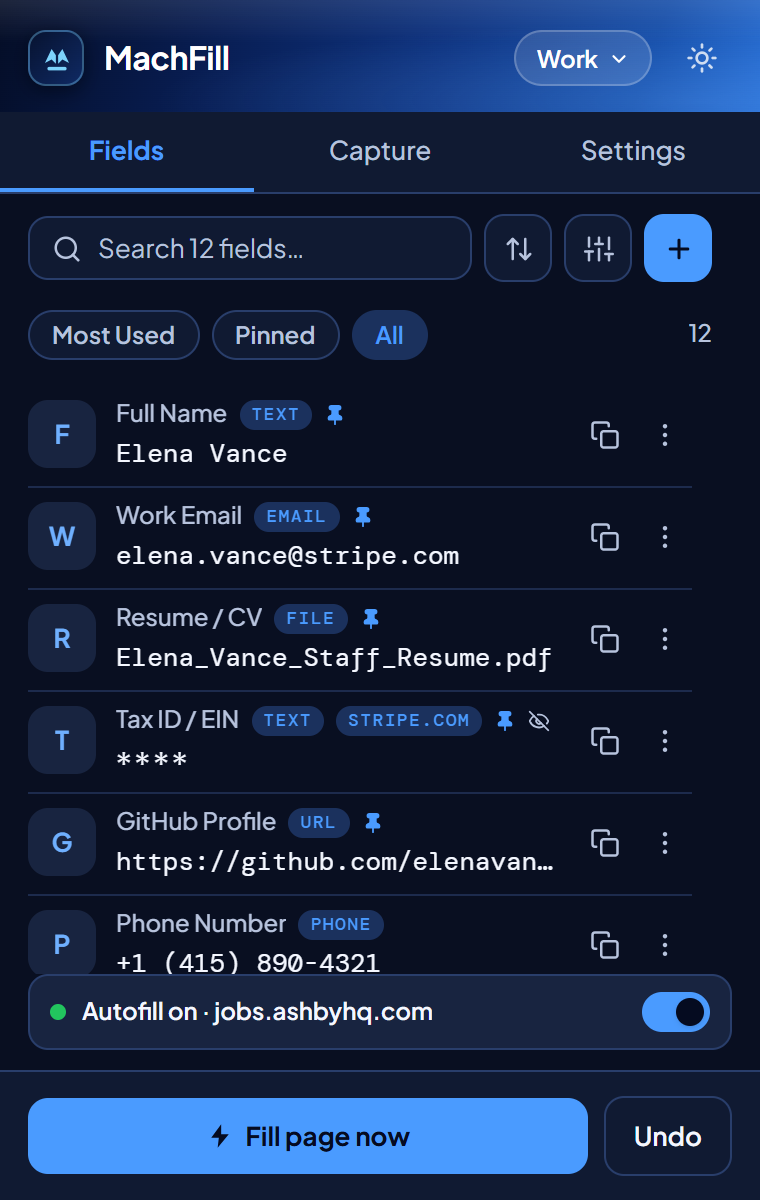
04 · Instant Search & Smart Matching

Find any saved detail with / and smart matching.

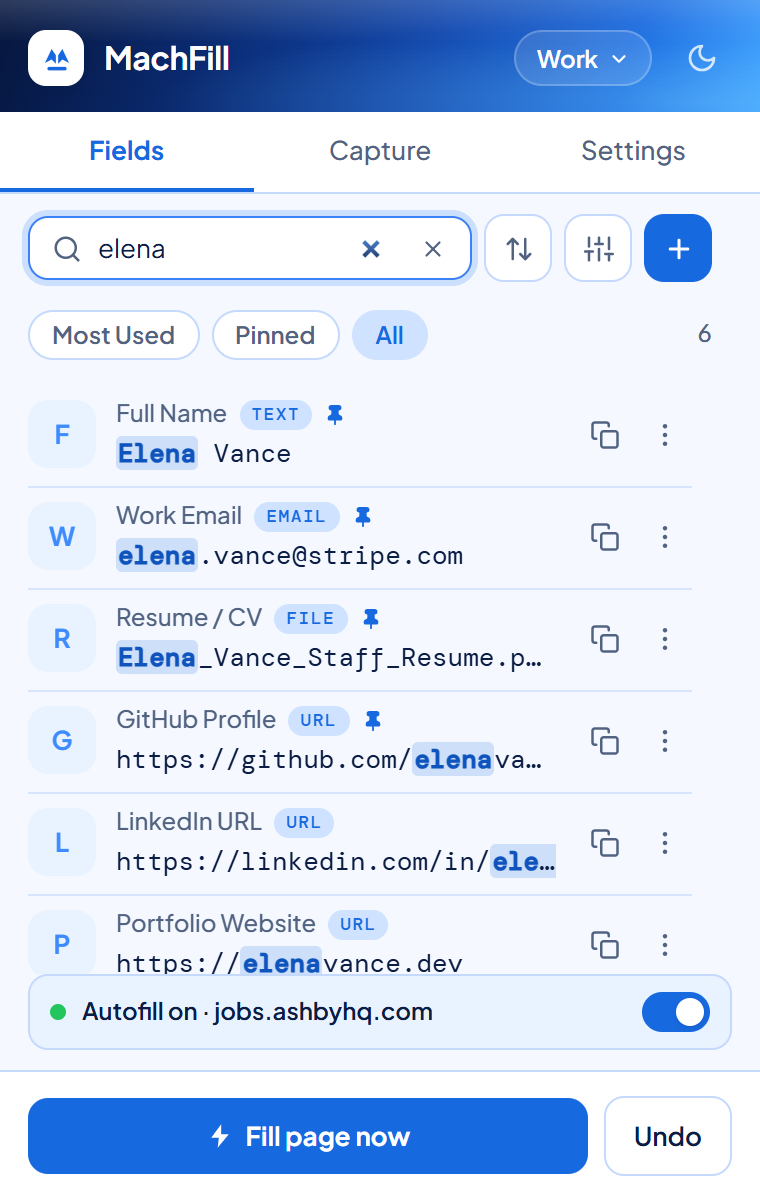
Press / inside MachFill to filter your saved fields immediately. Even when websites use different wording—like Mobile instead of Phone Number—smart matching recognizes and fills the right field.

  • Instant highlighted search across labels and values
  • Most-used and pinned fields stay right at the top
  • One-click copy to clipboard whenever you need a quick paste
MachFill Popup live search highlighting matching fields instantaneously
05 · Multiple Profiles

Keep Work, Personal, and testing details separate.

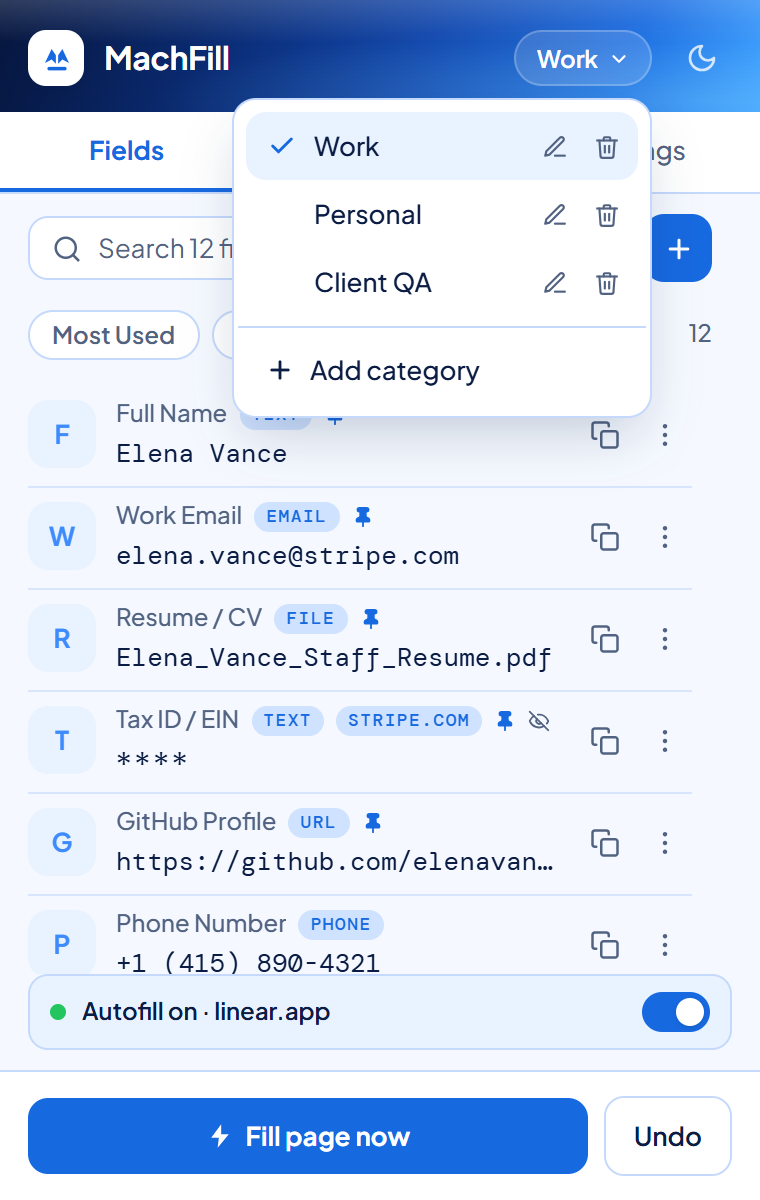
Switch profiles right from the top bar. Keep your work email, personal address, and demo details neatly organized without mixing them up.

  • Create, rename, or remove custom profiles anytime
  • Move fields between profiles from the quick-actions menu
  • Your active profile applies automatically across every tab
MachFill Popup profile category switcher dropdown showing Work, Personal, and Client QA profiles
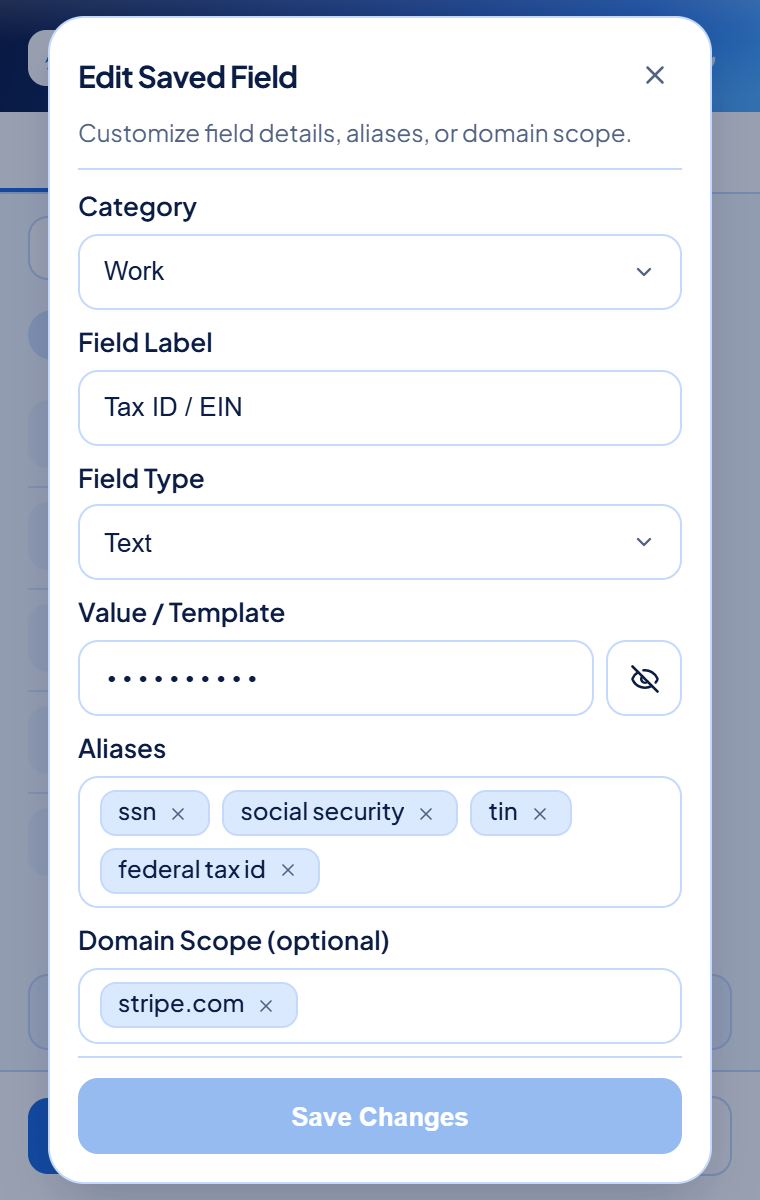
06 · Privacy Masking & Website Lock

Hide sensitive values and lock them to trusted sites.

Mask sensitive details like Tax IDs behind **** across the extension, right-click menus, and live pages. You can also lock a field so it only fills on specific websites like stripe.com.

  • Hides sensitive text visually without breaking website forms
  • Search never reveals masked values
  • Website lock ensures sensitive details never fill on the wrong site
MachFill Edit Saved Field modal showing masked value, alias chips, and Domain Scope restriction
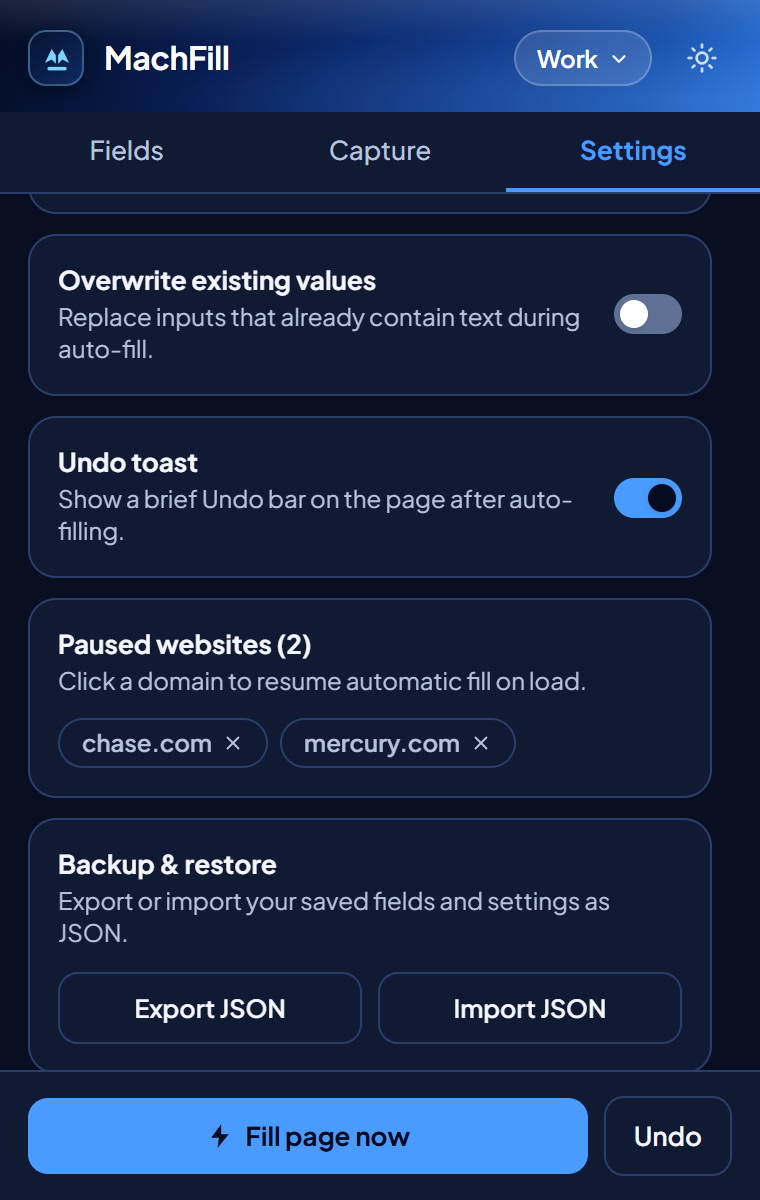
07 · Site Controls & Easy Backups

Stored locally only—with full control over every site.

Pause autofill on banking or private websites with a single switch, and save a backup file to your computer whenever you want. Your data is stored locally only on your device—never uploaded, synced, or shared.

  • Data is stored locally only on your own device
  • Export and restore a backup file anytime without any cloud account
  • Automatically skips passwords, card security codes, and one-time codes
MachFill Dark Mode Settings panel showing Paused websites list and local Export and Import backup controls
Accessibility First

Built for keyboards,
screen readers, and clarity.

Productivity tools should never exclude anyone. MachFill is crafted from the ground up with full keyboard navigation, semantic ARIA states, and predictable visual focus.

100% Keyboard-Operable

Fill forms, save the active field, search your saved details with /, and close menus with Esc—without ever touching a mouse.

Screen Reader Friendly

Every button, switch, and pop-up clearly announces its state and updates so assistive tools always stay in sync.

High Contrast & Gentle Motion

Crisp light and dark themes keep text easy to read, while animations stay calm for anyone who prefers reduced motion.

Keyboard Shortcuts
Autofill Active Page Populates all matching non-sensitive fields
Alt+Shift+F
Save Focused Field Captures current input value & resolved label
Alt+Shift+S
Focus Library Search Jump straight to filtering inside the Popup
/
Quick Save Workflow Add or update a field in the Command Center
Label→Tab→Value→Enter
Smooth & Clean UI

Quiet on the page.
Ready when you need it.

MachFill opens instantaneously, stays visually calm, and blends cleanly into any website you visit without ever getting in your way.

Zero Page Interference

Website styles never break MachFill’s buttons or banners, and MachFill never pushes page content around.

Clear Visual Feedback

Subtle highlights show exactly which fields were filled, with an instant Undo option right at the top.

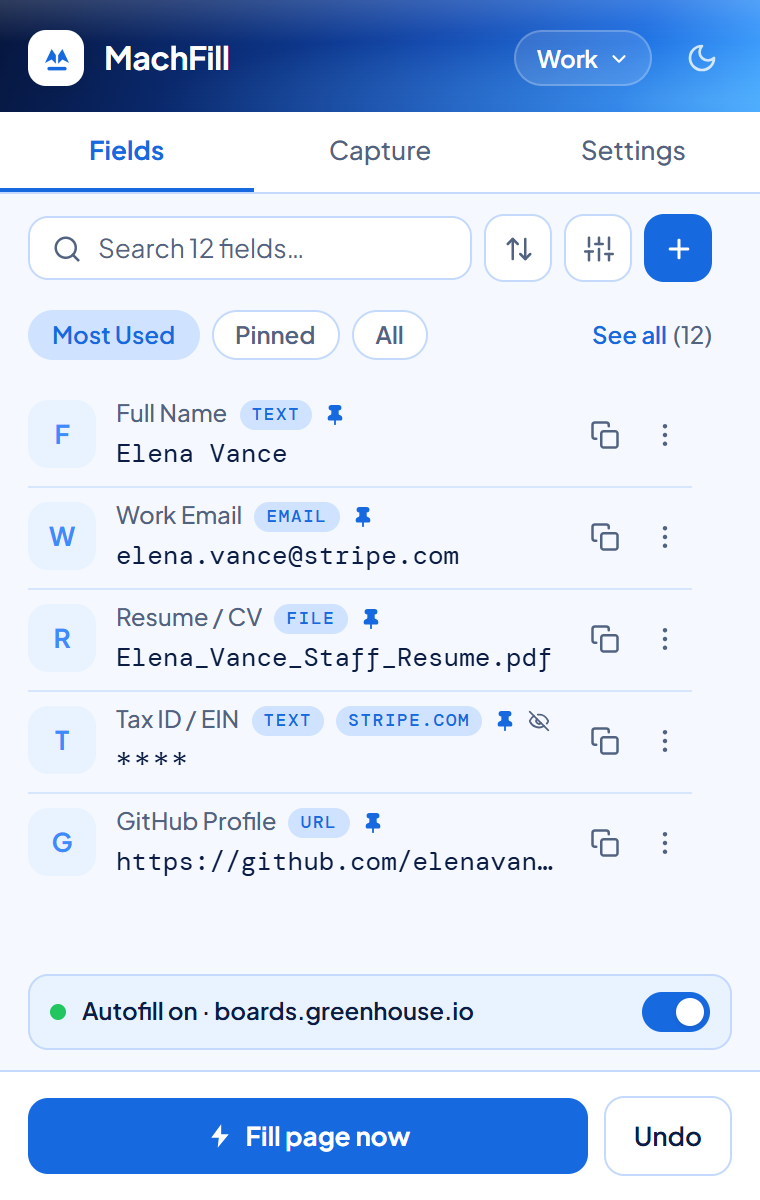
Dark & Light Modes

Automatically matches your browser theme or switches with one click in the top corner.

Data Security & Safety

Your data is stored
locally only. Period.

No cloud servers, no tracking, and no account required. Everything you save stays private on your own device.

Stored Locally Only

All profiles, field labels, and preferences are stored only on your device inside your browser. Nothing is ever uploaded, synced, or shared with external servers.

Privacy Masking (****)

Hide any sensitive field behind **** across the extension, right-click menus, search, and live webpages so nobody looking over your shoulder can read it.

Built-In Safety Guardrails

Automatically skips password fields, credit card security codes, and one-time verification codes so your most sensitive inputs are never touched.

Non-Destructive & 1-Click Undo

Never overwrites text you have already typed. If an autofill surprises you, click Undo to put every field back to how it was before.

Take Your Backup Anywhere

Download a personal backup file to your computer anytime, and restore it on another browser without ever using the cloud.

Per-Site Pause Included

Add MachFill to Chrome

Available now on the Chrome Web Store for Chrome, Brave, Edge, and Arc. Free, accessible, and stored locally only.

Engineering

Article Title